Bookmark Template
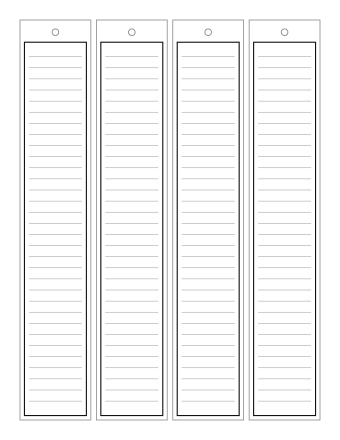
Printable blank bookmarks with a punch mark for a ribbon and lines for notes. Four or five to a page.
- Set it upChange the settings and watch the page redraw.
- Download or printSave a sharp vector PDF, or send it straight to your printer.
- Print at 100%Choose Actual size so every measurement comes out exact.
Bookmarks to write on or decorate
Each bookmark has a small circle at the top to punch for a ribbon or tassel, and a lined panel. Use the lines for a reading list, new vocabulary, page numbers to come back to, or a note to the person you are giving the book to. Children can draw over the lines.
Print on card stock, cut along the outlines and punch the hole. Type a heading such as My Reading Log or a class name to print it on every bookmark.
What you can change
- Bookmarks per page
- Heading on each
- Paper size
- Orientation
- Margin
The preview updates as you go. When it looks right, press Download PDF or Print.
Common questions
How big are the bookmarks?
With four per Letter page, each is about 1.8 inches wide and 10 inches tall. Trim the height if you prefer a shorter one.
Can students use them as a reading tracker?
Yes. Type Books I Read as the heading and have them list a title on each line.
Which paper sizes can I print on?
Letter, Legal, Tabloid, half letter, A3, A4 and A5, in portrait or landscape. The page is redrawn for the size you pick, so nothing is stretched.
Is this free to use?
Yes. Print as many copies as you need for home, school or work. You can also hand out the printed pages. Please do not resell the files.
How do I save it as a PDF?
Press Download PDF. The file is made in your browser in about a second and saved to your downloads folder. It is a vector PDF, so lines stay sharp.
Last reviewed November 2026. Trouble with sizes or margins? See printing help.
More printables like this
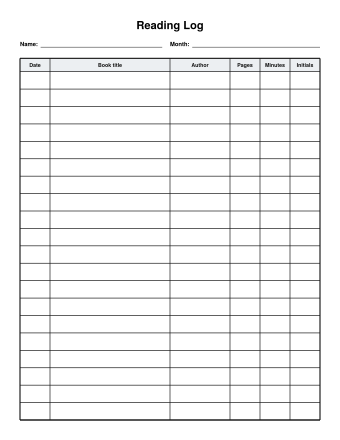 Reading LogDate, title, pages and minutes.
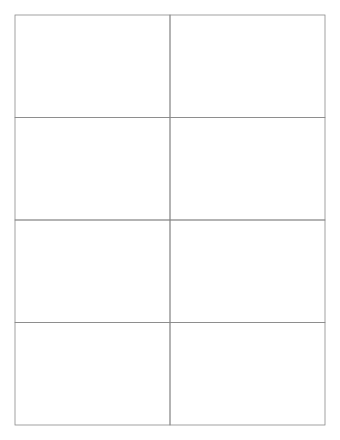 Flash Card TemplateBlank cards with cut lines, 4 to 20 per page.
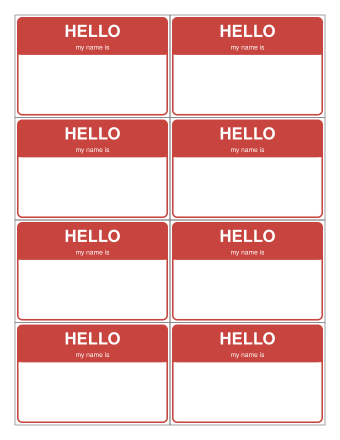 Name Tag TemplateEight name tags per page.
 Book Report TemplateTitle, characters, summary and opinion.
 Recipe Card TemplateIngredients and directions, two per page.
 Raffle Ticket TemplateNumbered tickets with a tear off stub.